

Step 1: Install SillyTavern
SillyTavern is now available for Windows, MacOS, Linux, Android, and Docker. For more detailed information, please visit https://docs.sillytavern.app/installation/ Choose your operating system below to get started:Step 2: Configure SiliconFlow API
After installation completes, SillyTavern will pop up in your browser. Now, you’re ready to configure the SiliconFlow API connection:- Click the 🔌API Connections button in the top bar.
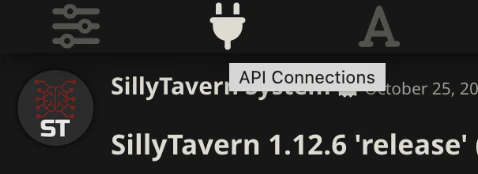
- In API, select Chat Completion.
- Under Chat Completion Source, select SiliconFlow.
- https://cloud.siliconflow.com/account/ak and paste it into SiliconFlow API Key field.
- Click the Connect button. Confirm it says Valid.
- Select your preferred model from the SiliconFlow Model dropdown menu. You can always change them later.
- Click Test Message to verify your configuration. When the **API connection successful! ** notification appears, you’re all set!

What SillyTavern Offers
Now that you’re connected to SiliconFlow, you can take full advantage of these capabilities without worrying about speed or costs with SiliconFlow’s high-performance API backing your setup. Let’s explore what makes SillyTavern a powerful platform for creative AI interactions:
💡 Creative freedom: SillyTavern’s open-source foundation means no artificial content restrictions—perfect for exploring diverse narrative scenarios and use cases.
Resources
SillyTavern Official
- GitHub: https://github.com/SillyTavern/SillyTavern
- Documentation: https://docs.sillytavern.app
- Discord: https://discord.gg/sillytavern
- Reddit: https://www.reddit.com/r/SillyTavernAI/
SiliconFlow
- Website: https://siliconflow.com
- API Documentation: https://docs.siliconflow.com
- Model Library: https://siliconflow.com/models