

Step 1: Prerequisites
Get Your SiliconFlow API Key
Before you begin, ensure you have a valid SiliconFlow account:- Register a SiliconFlow account at https://cloud.siliconflow.com/. You can sign up with Google or GitHub.
- Log in and navigate to
API Keysin the dashboard. - Click
🔑Create API Keyand add a name to your key to help you identify it later, then confirm to create it. - Click the API key to copy it automatically.

Step 2: Configure SiliconFlow APIs
- Open Janitor AI: Log in at janitorai.com, then start or create a chat.
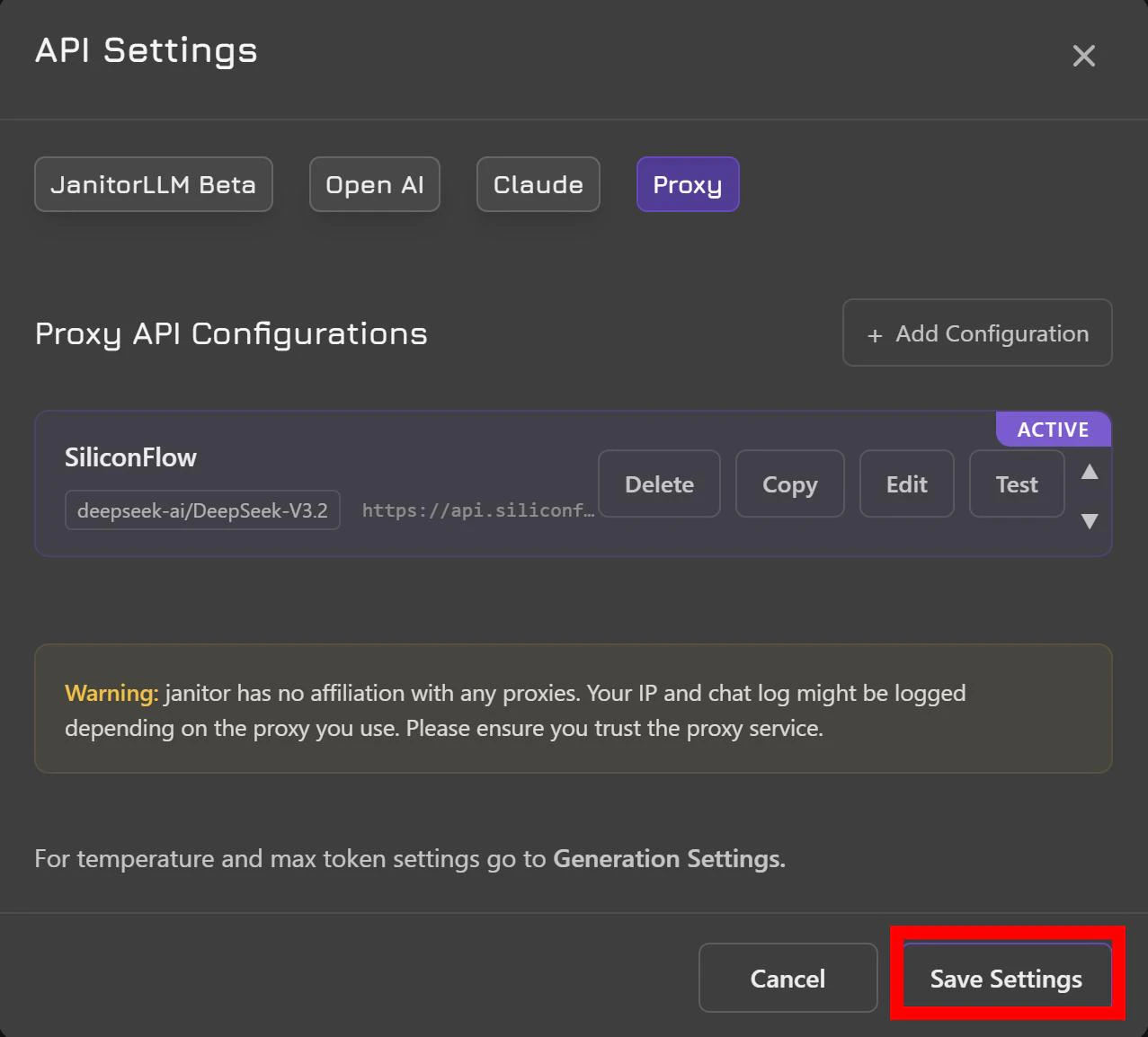
- API Settings: In the chat, click the gear icon (top-right) → “API Settings” → “Proxy” → “Add Configuration”.

- Fill in the details:
- Config Name: SiliconFlow
- Proxy URL: https://api.siliconflow.com/v1/chat/completions
- API Key: Paste the SiliconFlow API key you copied in Step 1.
- Model Name: Enter the model you want to use, for example
deepseek-ai/DeepSeek-V3.2. You can browse the full model list at https://www.siliconflow.com/models

- Save & Test: Click “Test”, then “Save Settings”.
- Refresh the page and send a test message to confirm everything is working.
Which Models Should You Try First?
If you’re not sure where to start, the OpenRouter Roleplay leaderboard is a useful reference. As of April 2026, the most-used models by Janitor AI users on Openrouter are largely dominated by a handful of open-source models. SiliconFlow supports all of them ranked within the Top 10, including DeepSeek V3.2, Step 3.5 Flash, DeepSeek V3 0324, GLM 4.5 Air, DeepSeek V3.1, GLM 5, DeepSeek R1 0528, and DeepSeek V3.2 Exp.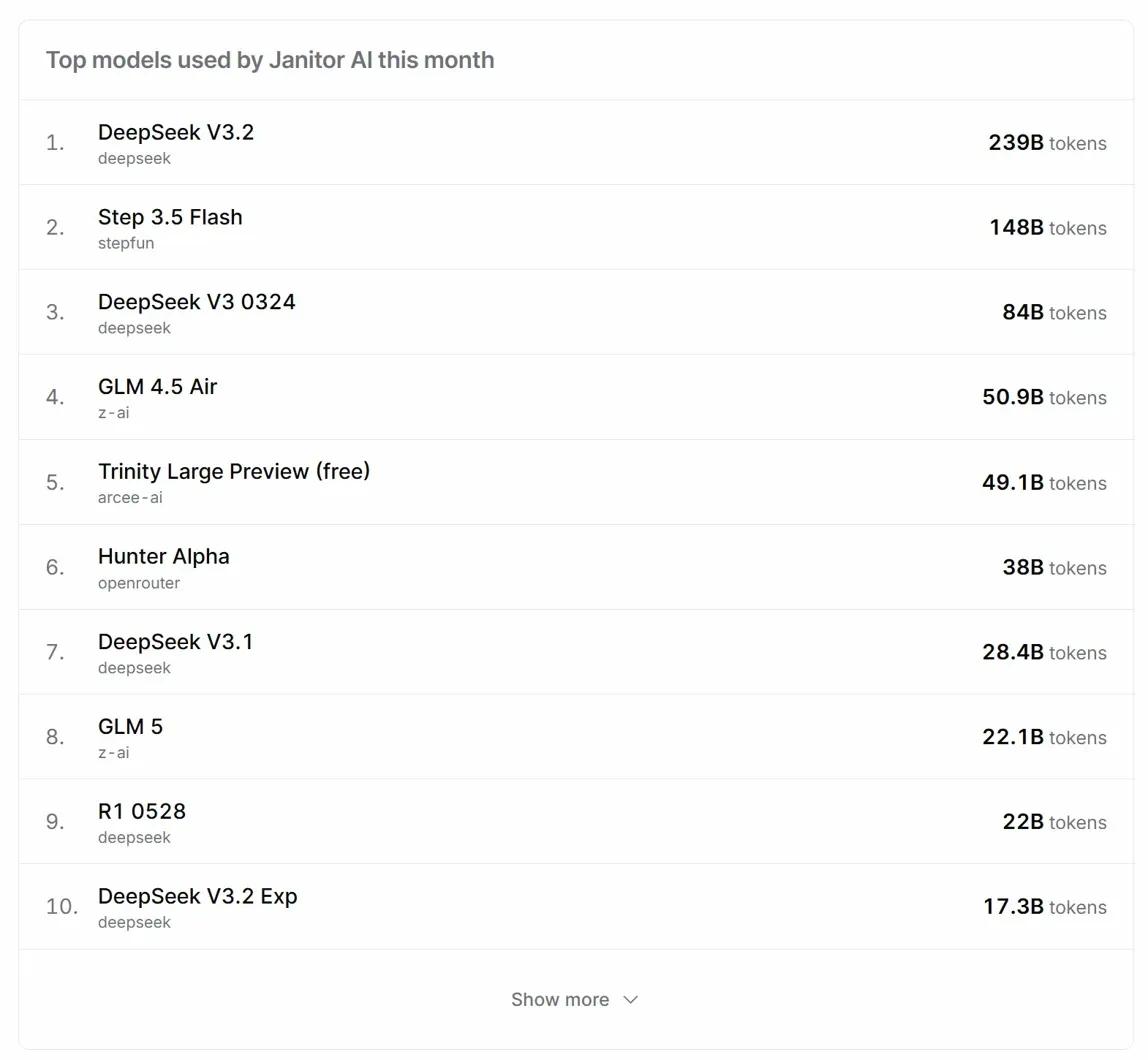
Start your RP experience with frontier models today with Janitor AI and SiliconFlow!
Resources
Janitor AI
- Website: https://janitorai.com/
- Guides: https://help.janitorai.com/en/
- Discord: https://t.co/Cbbkk6SKKe
- X: https://x.com/janitoraicom?s=20
SiliconFlow
- Website: https://siliconflow.com
- API Documentation: https://docs.siliconflow.com
- Model Library: https://siliconflow.com/models
- Discord: https://discord.com/invite/7Ey3dVNFpT
- X: https://x.com/SiliconFlowAI