

Step 1: Prerequisites
Get Your Chub AI Account
Go to chub.ai and click “Sign In” in the top right corner and register your Chub AI account:
- Enter your email address. You can also register with Apple, Google and Github accounts.
- Choose a unique username. Your username is public and used to represent you throughout Chub.
- Create a strong, secure password. Chub AI encourages users to use a password manager to generate a random, unique password.
- Your account is now registered and set up. You can log in using the credentials you created.

Get Your SiliconFlow API Key
Before you begin, ensure you have a valid SiliconFlow account:- Register a SiliconFlow account at https://cloud.siliconflow.com/. You can sign up with Google or GitHub.
- Log in and navigate to
API Keysin the dashboard. - Click
🔑Create API Keyand add a name to your key to help you identify it later, then confirm to create it. - Click the API key to copy it automatically.

Step 2: Configure SiliconFlow APIs
- Create or select a chat in Chub AI
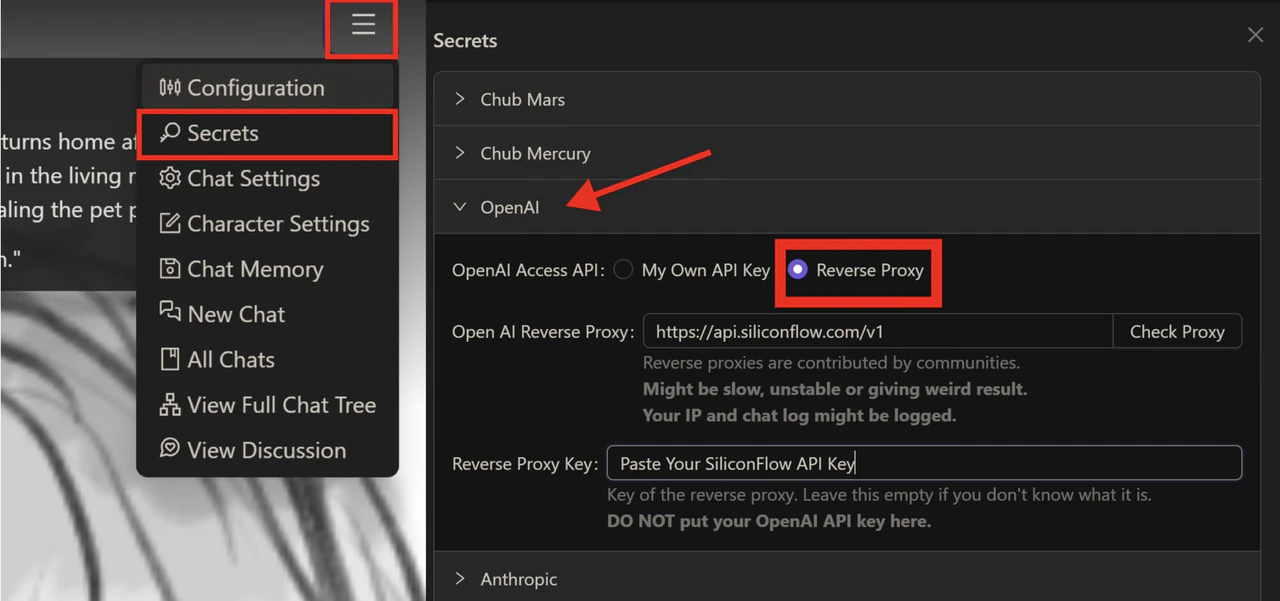
- Open Secrets: In the chat interface, click Secrets in the top-right corner and fill in the following fields:
- API type: OpenAI
- OpenAI Access API: Reverse Proxy
- OpenAI Reverse Proxy URL:
https://api.siliconflow.com/v1 - Reverse Proxy Key: Paste the SiliconFlow API key you copied in Step 1.
-
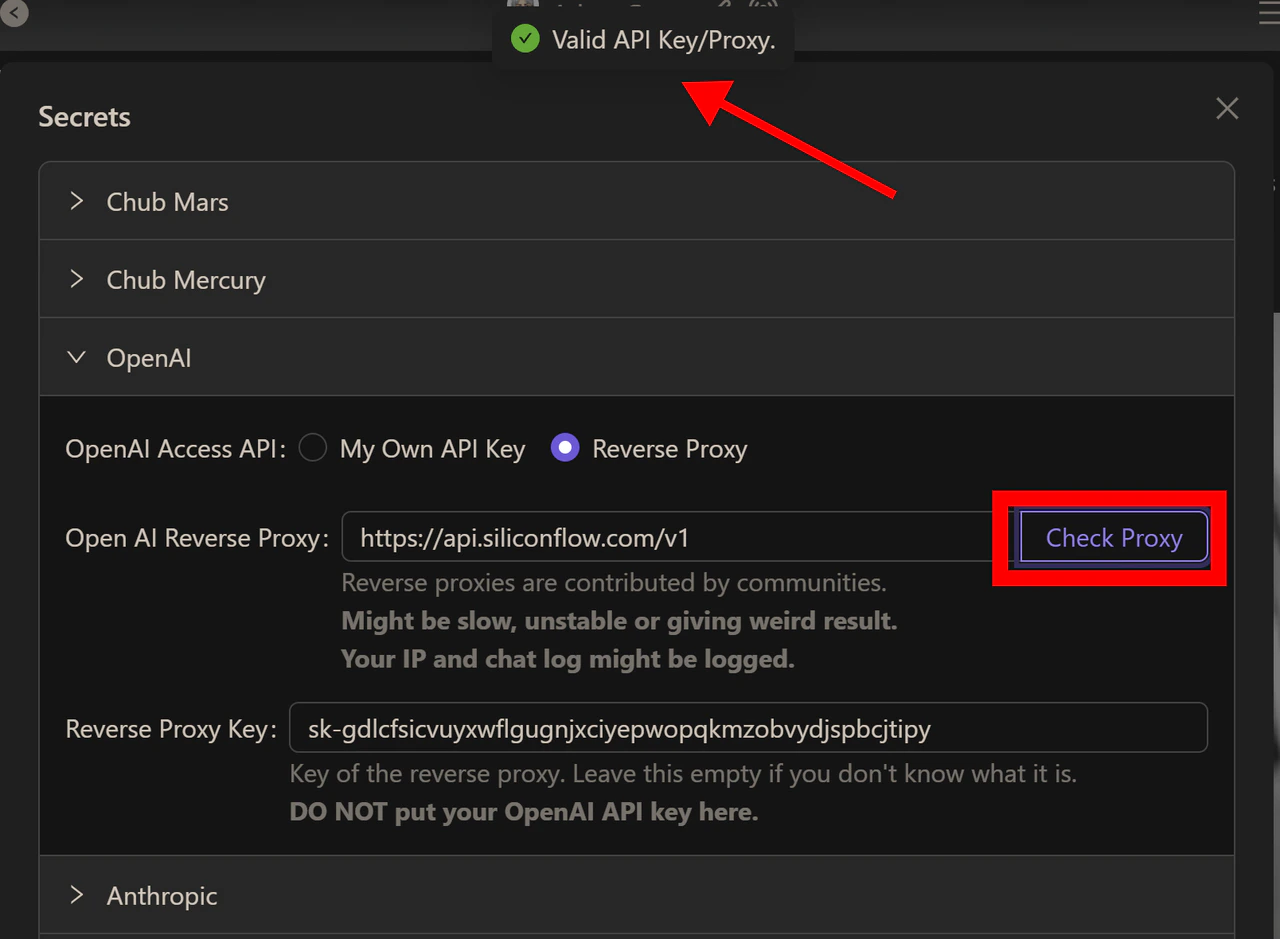
Verify the connection: Click Check Proxy. A confirmation message indicating a valid API key means your integration is successful.
-
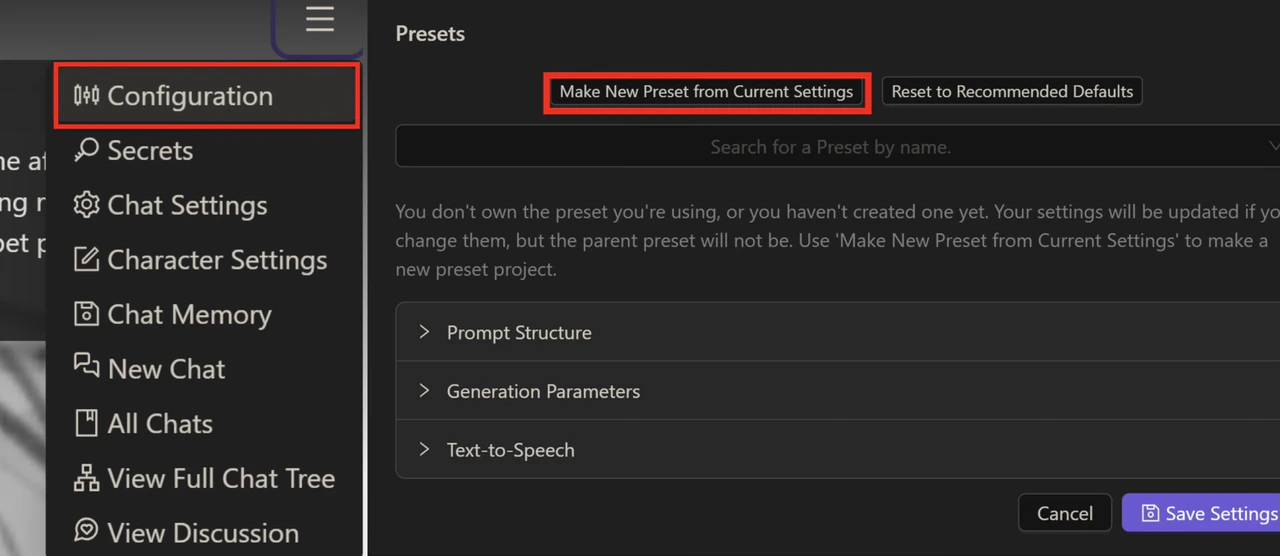
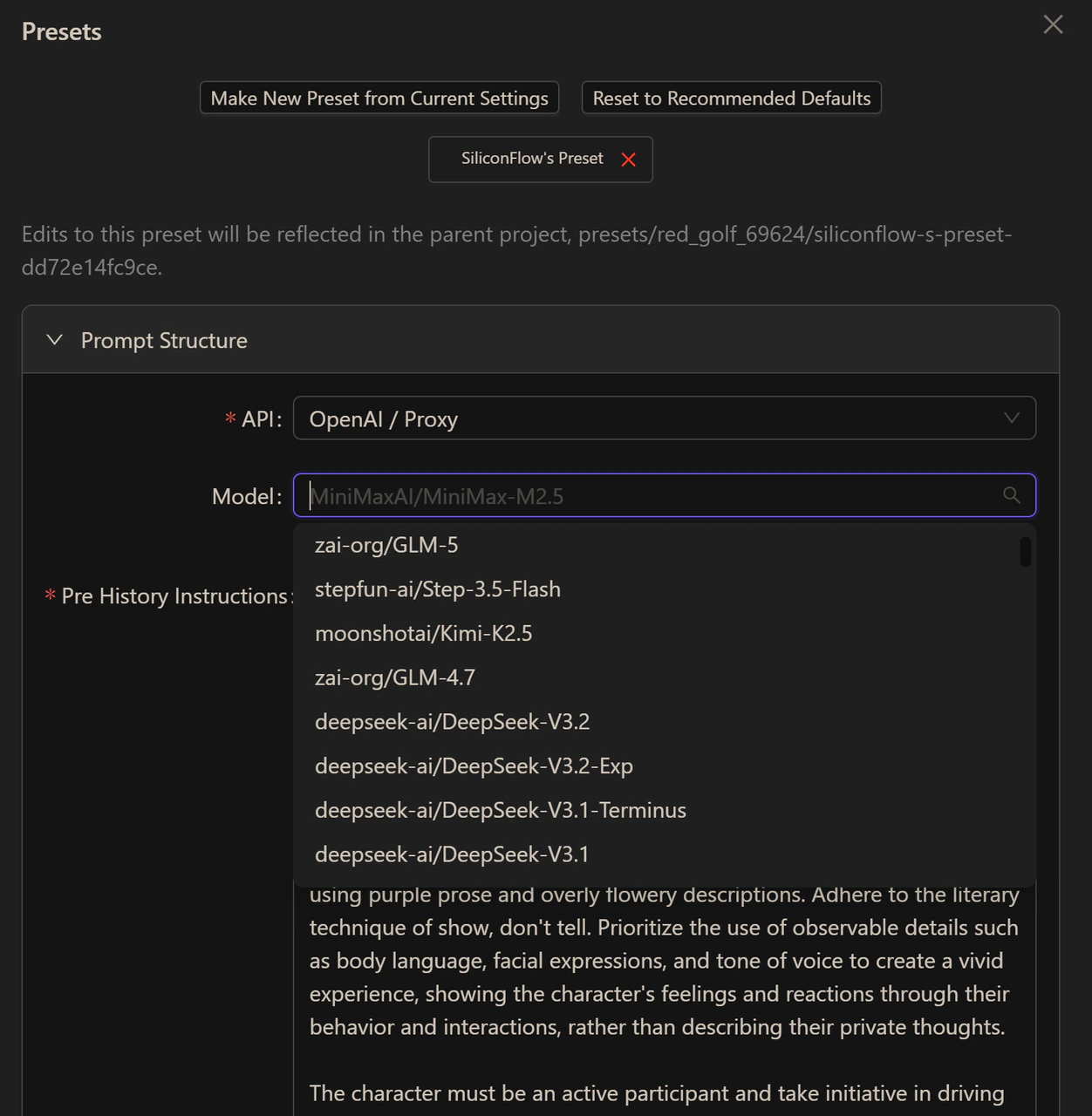
Create a preset: Navigate to Configurations and Make New Preset from Current Settings. Name your preset, adjust any settings to your preference and click Create.
-
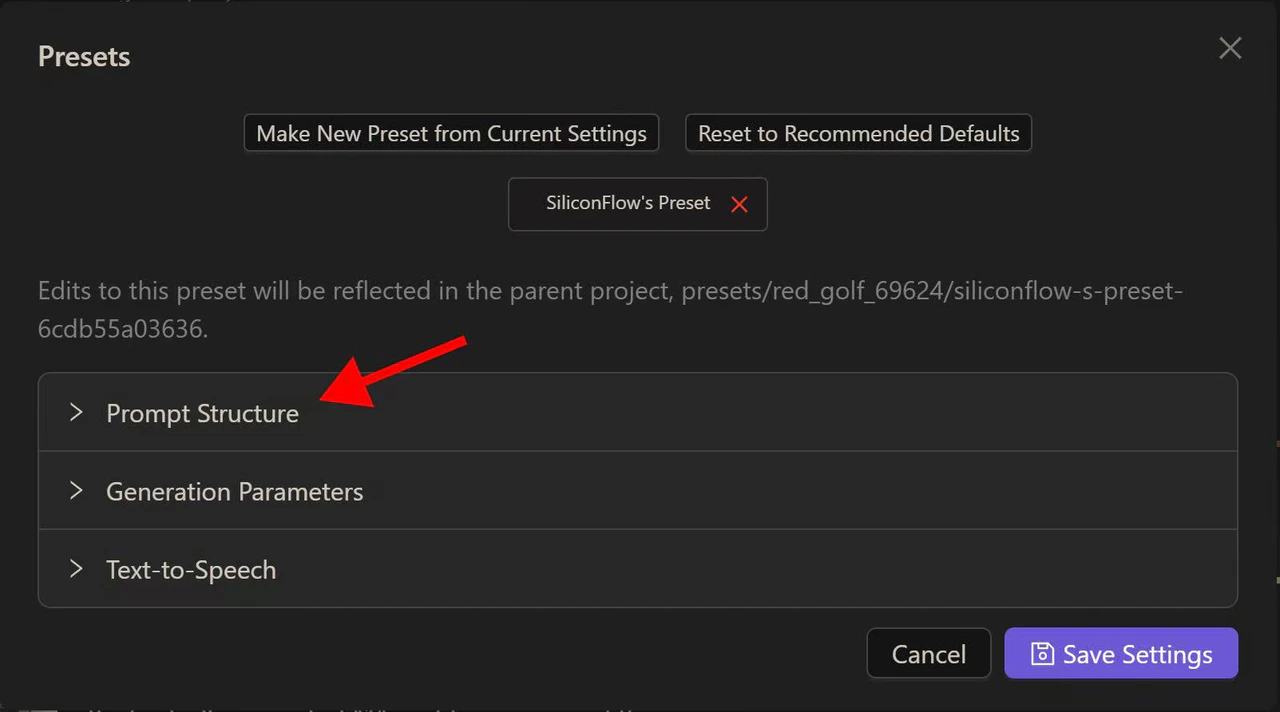
Select your model: Once your preset is created, return to the previous interface and open Prompt Structure. Set the API to OpenAI / Proxy — the full list of models available through SiliconFlow will appear. Select the one you’d like to use and save your settings.
Step 3: Start Chatting
Now, you’re all set! Want to try a different model? Head back to Prompt Structure anytime, update your model selection, and save. With 200+ models available, you can always find the right fit for any character or scenario.
Not sure which model to start with?
OpenRouter usage data is a good way to see what the Chub AI community is actually enjoying. As of April 2026, the DeepSeek family is a clear preference, with DeepSeek V3.2 topping the chart and DeepSeek V3 0324 closely matching Claude Sonnet 4.5 in usage. GLM 5 and Step 3.5 Flash also see strong adoption in the rankings. All of the open-source models in the Top 10 are available on SiliconFlow and as the community’s favorites evolve, so does our model library.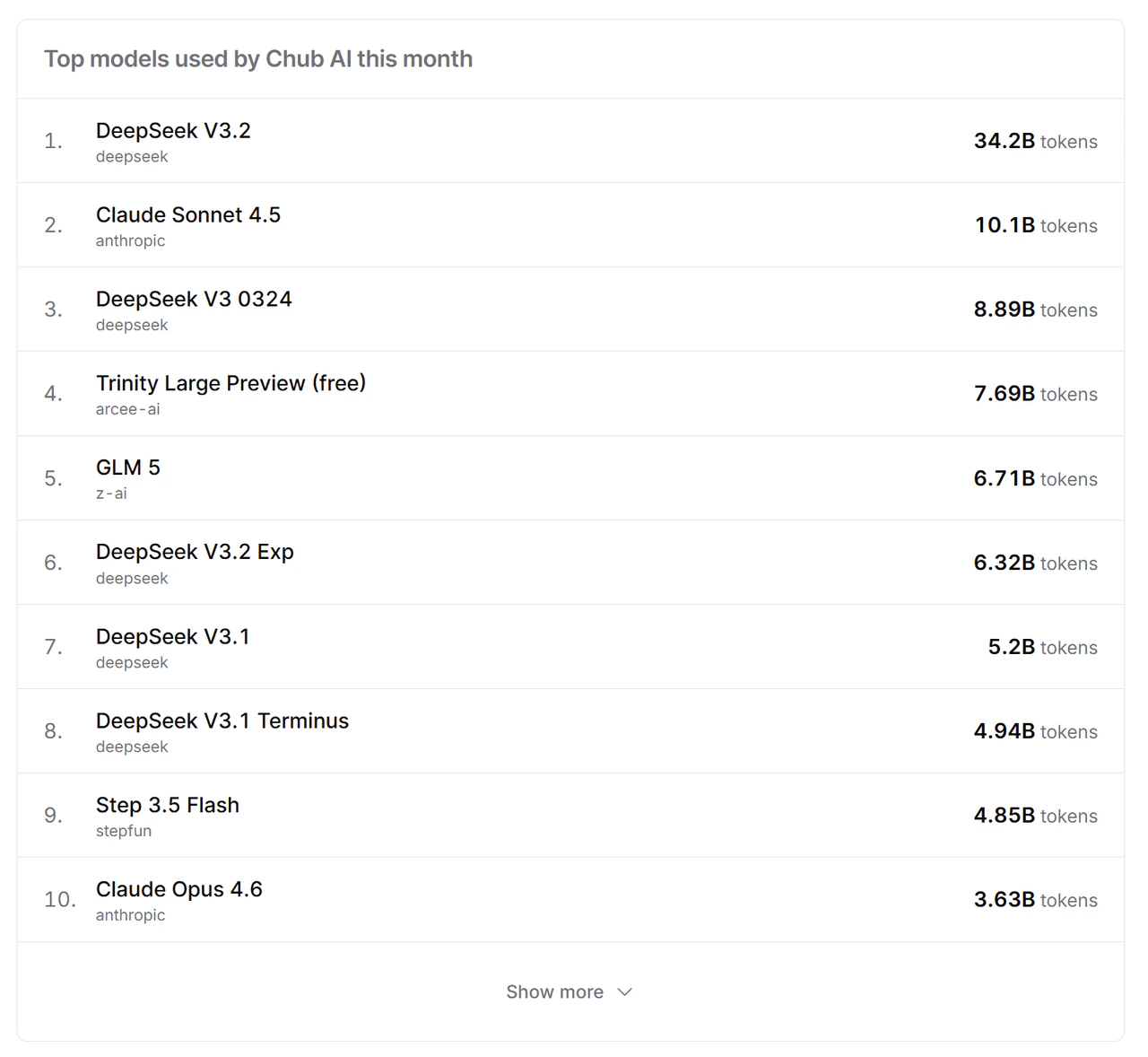
Resources
Chub AI
- Website: https://chub.ai/
- Guides: https://docs.chub.ai/docs
- Reddit: https://www.reddit.com/r/Chub_AI/
- Github: https://github.com/CharHubAI
- Medium: https://blog.chub.ai/
SiliconFlow
- Website: https://siliconflow.com
- API Documentation: https://docs.siliconflow.com
- Model Library: https://siliconflow.com/models
- Discord: https://discord.com/invite/7Ey3dVNFpT
- X: https://x.com/SiliconFlowAI