

codewhale command, streams reasoning blocks, edits local workspaces with approval gates, and includes an auto mode that chooses both model and thinking level per turn.
What sets CodeWhale apart is its harness — a system of rules, evidence, and feedback that keeps the model oriented instead of drifting. At its core is a written Constitution with nine tiers of authority: user intent outranks stale instructions, verification outranks confidence, etc. The system also benefits from recursive improvement — V4 helped write the harness, and as the harness improves, V4 becomes more effective. Each turn starts stronger.
Now, SiliconFlow is a built-in provider in CodeWhale. With a single command, you can connect to SiliconFlow’s API and run DeepSeek-V4-Pro and DeepSeek-V4-Flash — no custom base URLs or manual config required. This guide walks you through installing CodeWhale and using SiliconFlow APIs in it.
Step 1: Prerequisites
Get Your SiliconFlow API Key
Before you begin, ensure you have a valid SiliconFlow account:- Register a SiliconFlow account at https://cloud.siliconflow.com/. You can sign up with Google or GitHub.
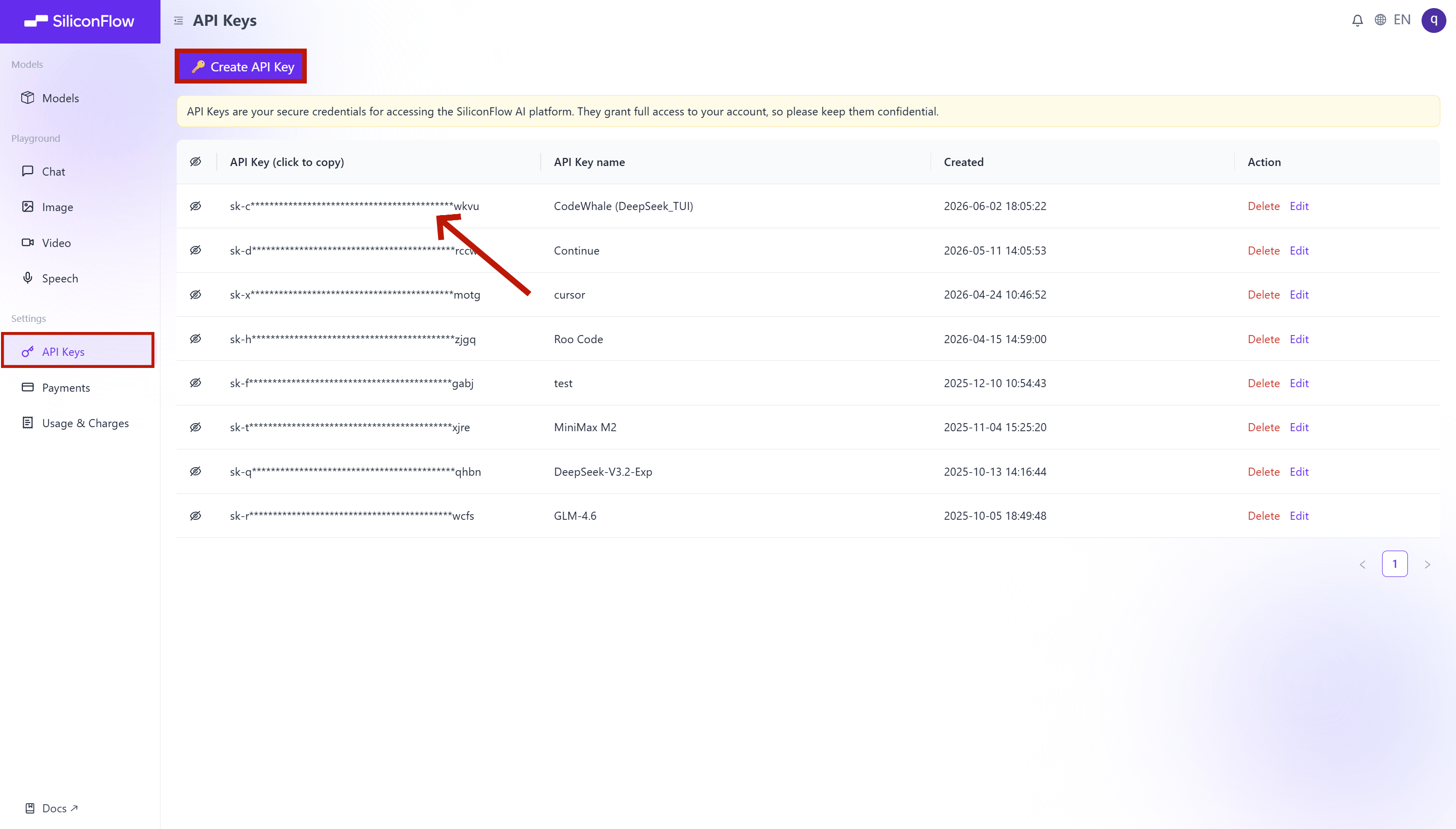
- Log in and navigate to
API Keysin the dashboard. - Click
🔑Create API Keyand add a name to your key to help you identify it later, then confirm to create it. - Click the API key to copy it automatically.
Step 2: Install & Configure
- Install
codewhale and codewhale-tui. This method requires Node 18+.
- Verify
codewhale doctor checks your API key, network, sandbox availability, and MCP servers. Full report is written to ~/.codewhale/doctor.log.
- Update
brew upgrade deepseek-tui or npm update -g codewhale. Cargo users can re-run cargo install codewhale-cli --locked --force.
- Configure siliconflow
Step 3: Run CodeWhale
Run CodeWhale in your terminal- Press
Enterto continue past the welcome screen - Choose your preferred language
- Press
1to trust and continue - Press
Enterto open the workspace
Mode
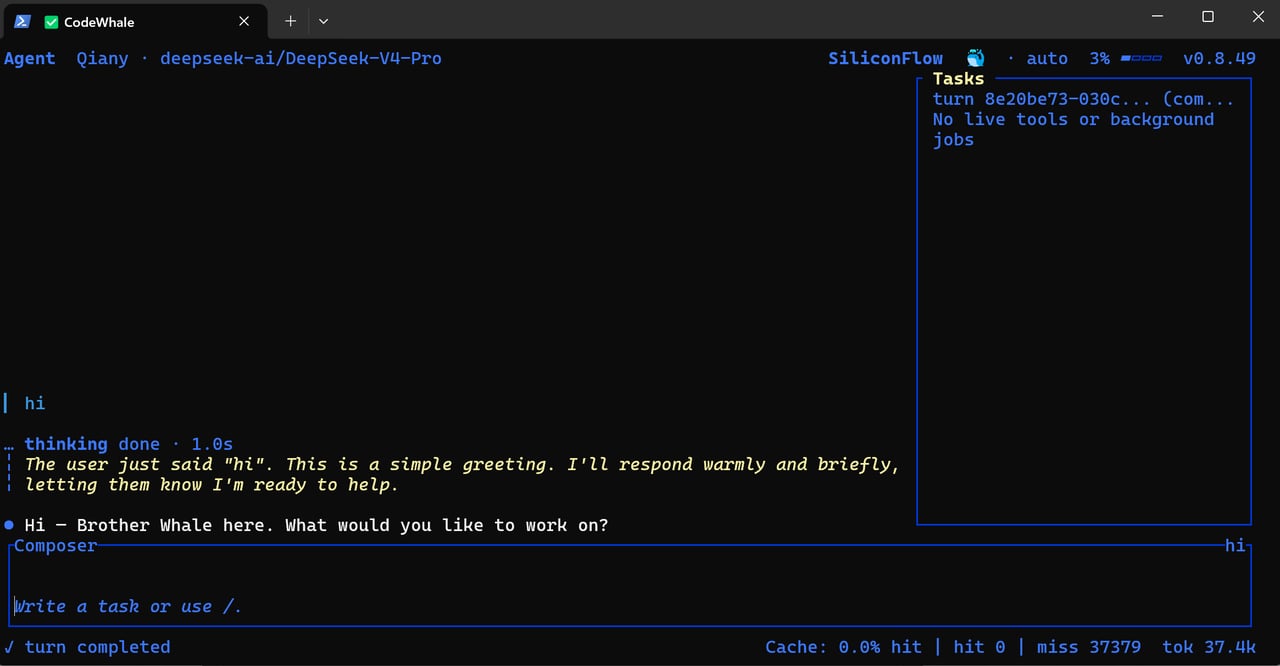
You’re now in CodeWhale — the active mode (Agent), current model (deepseek-ai/DeepSeek-V4-Pro), and provider (SiliconFlow) are shown in the top bar. Plan mode (read-only) is the default. PressTab to switch to Agent mode, or press again for YOLO.
Quick Reference
Also, there’s a shortcut table for users to have a quick reference
For more detailed information on modes, tools, approval & sandbox, MCP integration, and skills, visit the CodeWhale official documentation.
DeepSeek V4 on SiliconFlow
CodeWhale is built for DeepSeek V4 series. SiliconFlow offers two variants — pick the one that fits your task, or let Auto Mode decide for you.
Prices shown are for reference only. For real-time pricing, check the SiliconFlow Models page.
Launch with a specific model
Auto Mode
Auto Mode runs a small Flash routing call before each turn to assess task complexity, then picks the right model and thinking level automatically, so you don’t have to choose between speed, cost, and quality each time you use codewhale.How to enable
- CLI:
codewhale --model auto - In-session:
/model auto
How model routing works
Before your request is sent, codewhale runs a small routing call to assess task complexity, then selects:- Model:
deepseek-v4-flash(fast, cheap) ordeepseek-v4-pro(powerful, slower) - Thinking level:
off/high/max
Already Using OpenRouter?
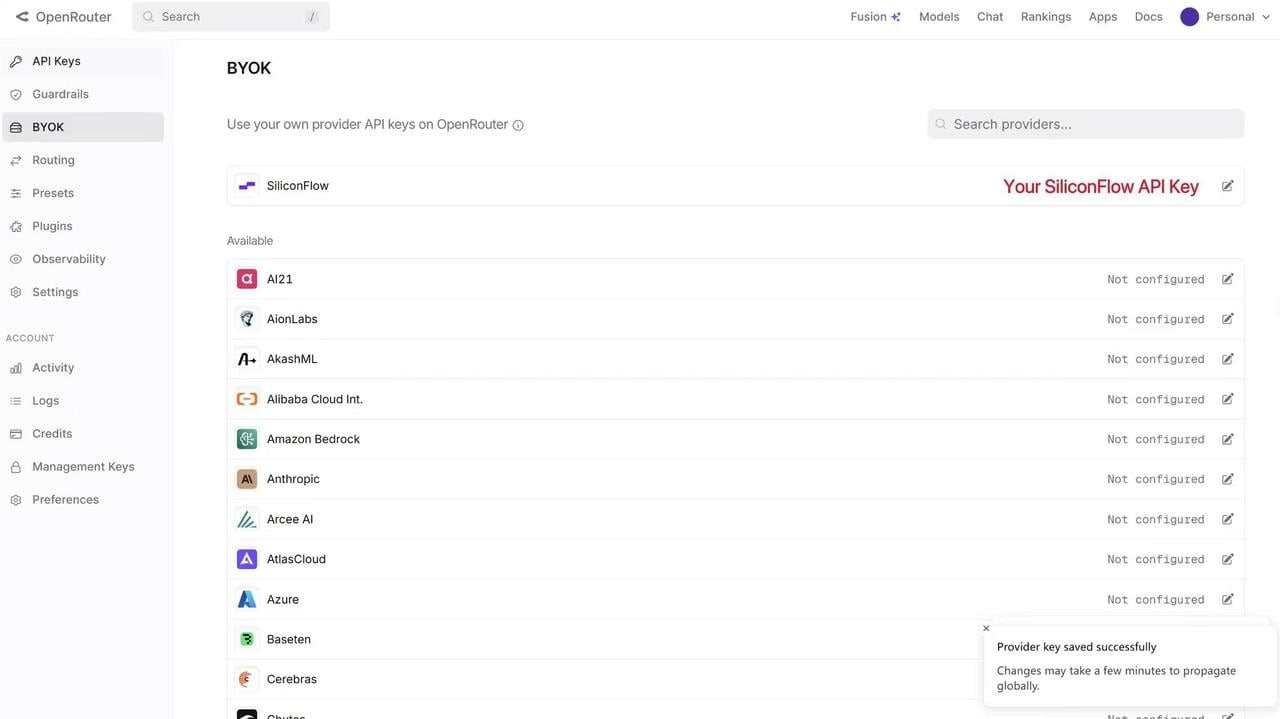
Bring Your Own Key
If you already have an OpenRouter account, you can connect your SiliconFlow API key via BYOK. Once connected:- Requests draw from your SiliconFlow balance first
- Billing and rate limits stay in your SiliconFlow account
- OpenRouter’s fallback routing still works to improve reliability
Resources
CodeWhale (DeepSeek-TUI)
OpenRouter
- BYOK Setting: openrouter.ai/workspaces/default/byok
- SiliconFlow on OpenRouter: openrouter.ai/provider/siliconflow
SiliconFlow
- Website: siliconflow.com
- API Docs: docs.siliconflow.com
- Model Library: siliconflow.com/models
- Discord: Join our community
- X: @SiliconFlowAI