> ## Documentation Index
> Fetch the complete documentation index at: https://docs.siliconflow.com/llms.txt
> Use this file to discover all available pages before exploring further.
# 财务问题
## 1. 如何充值
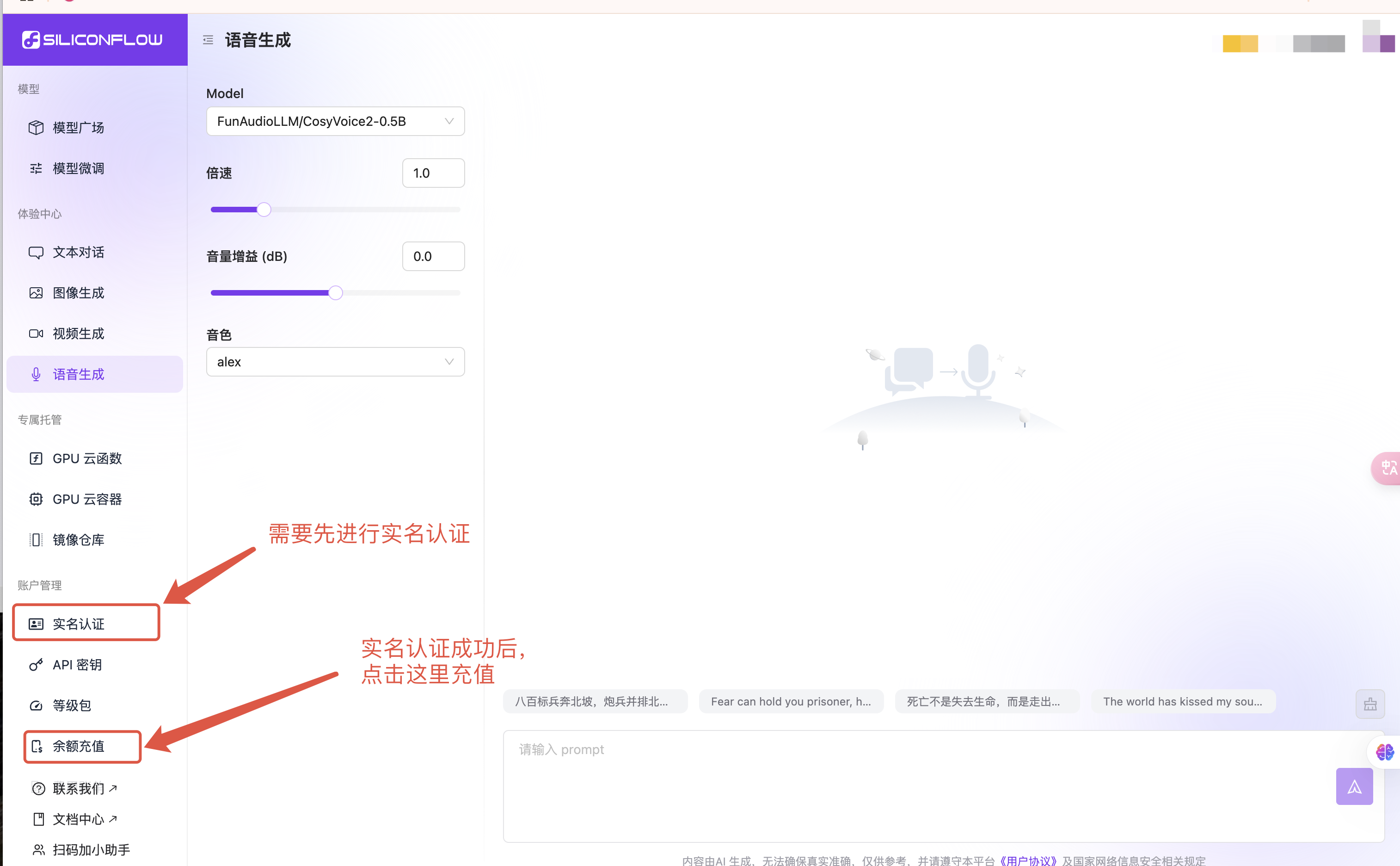
1. 电脑端登录 [SiliconFlow](https://cloud.siliconflow.com/) 官网。
2. 点击左侧边栏“[实名认证](https://cloud.siliconflow.com/account/authentication)”进行认证。
3. 点击左侧边栏“[余额充值](https://cloud.siliconflow.com/expensebill)”进行充值。
 ## 2. 赠送余额有期限吗
赠送余额目前没有有效期限制。
## 3. 如何查询使用账单
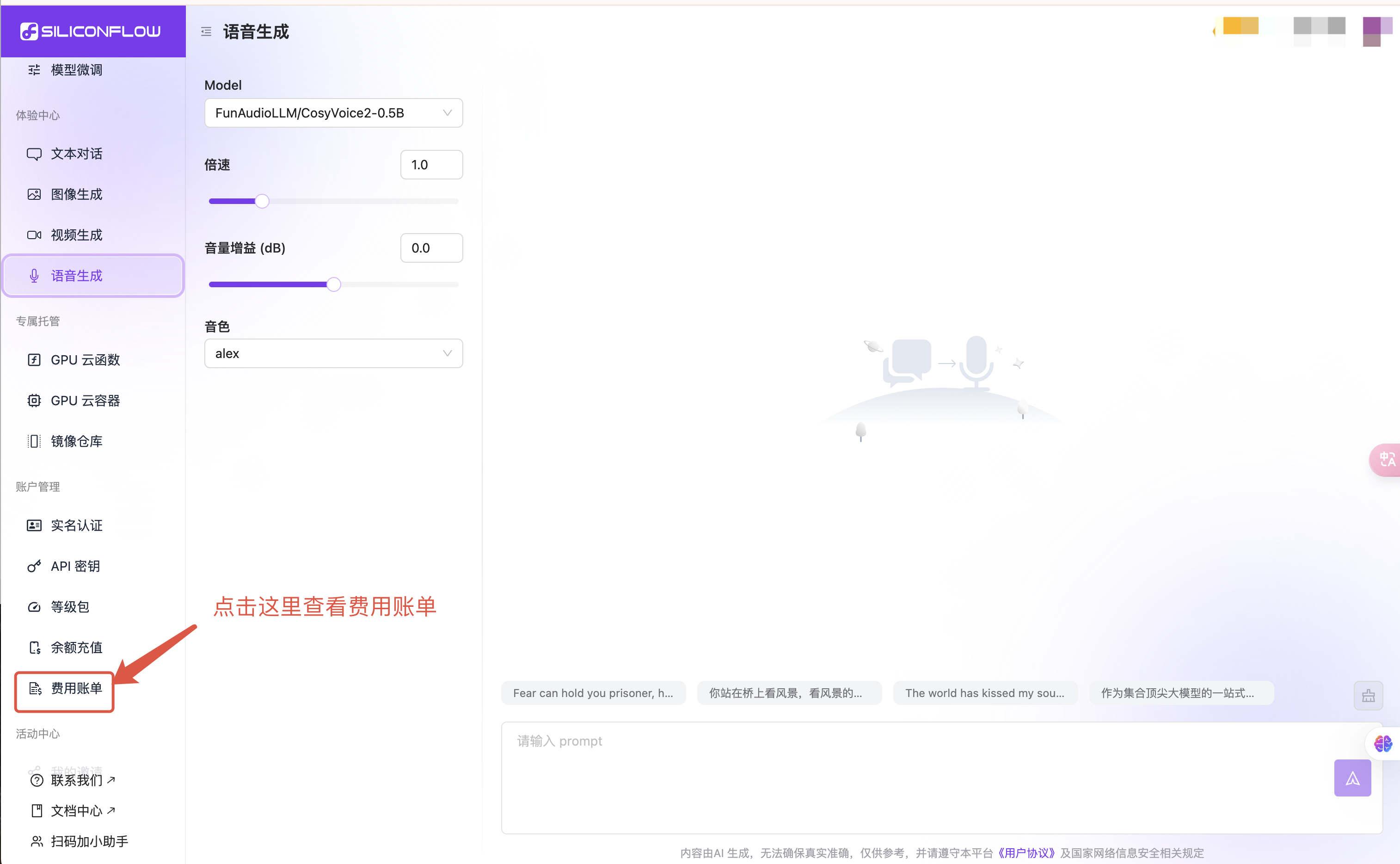
1. 电脑端登录 [SiliconFlow](https://cloud.siliconflow.com/) 官网。
2. 点击左侧边栏“[费用账单](https://cloud.siliconflow.com/bills)”了解。
## 2. 赠送余额有期限吗
赠送余额目前没有有效期限制。
## 3. 如何查询使用账单
1. 电脑端登录 [SiliconFlow](https://cloud.siliconflow.com/) 官网。
2. 点击左侧边栏“[费用账单](https://cloud.siliconflow.com/bills)”了解。
如您需要开发票,请根据 [开具发票](https://docs.siliconflow.com/faqs/invoice) 发邮件,我们会根据您的实际消耗费用开发票。
 ## 4. 模型微调的计费规则
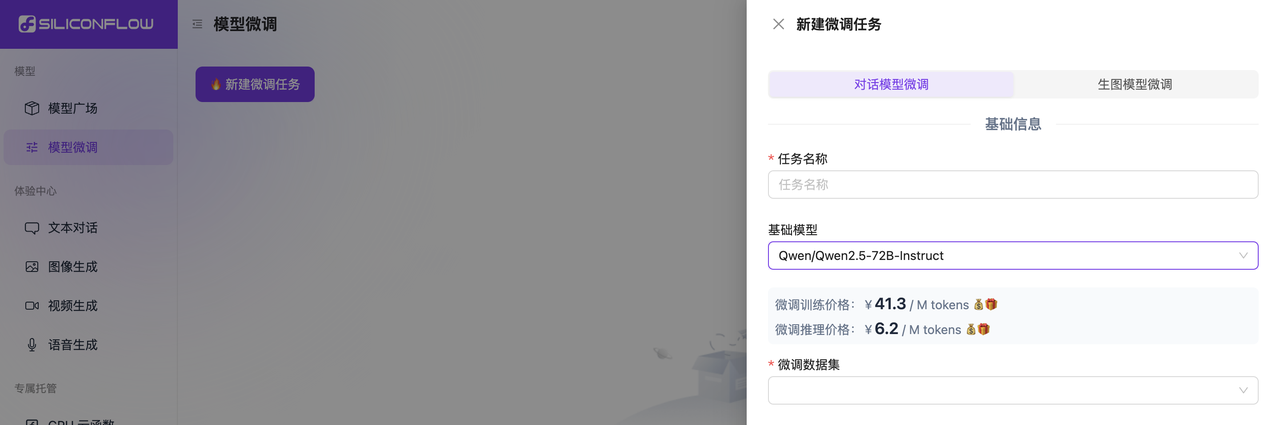
模型微调功能会按照训练和推理两个不同场景独立计费。
费用查看路径:[模型微调](https://cloud.siliconflow.com/fine-tune) - 新建微调任务,选择所需的“基础模型”后,页面会显示对应的“微调训练价格”和“微调推理价格”。
## 4. 模型微调的计费规则
模型微调功能会按照训练和推理两个不同场景独立计费。
费用查看路径:[模型微调](https://cloud.siliconflow.com/fine-tune) - 新建微调任务,选择所需的“基础模型”后,页面会显示对应的“微调训练价格”和“微调推理价格”。
 如遇其他问题,请点击 [硅基流动 MaaS 线上需求收集表](https://siliconflow.feishu.cn/share/base/form/shrcnxIMbsUUDf7xjrRIjenRYoh?hide_user_id=1) 反馈。